Verdict up front: to cash out of this app you must wait seven days and complete a 36-piece collection. Reviewers describe the same wall: the duplicates never stop, the final item never arrives, and one user’s withdrawal has been showing “verifying” for weeks.
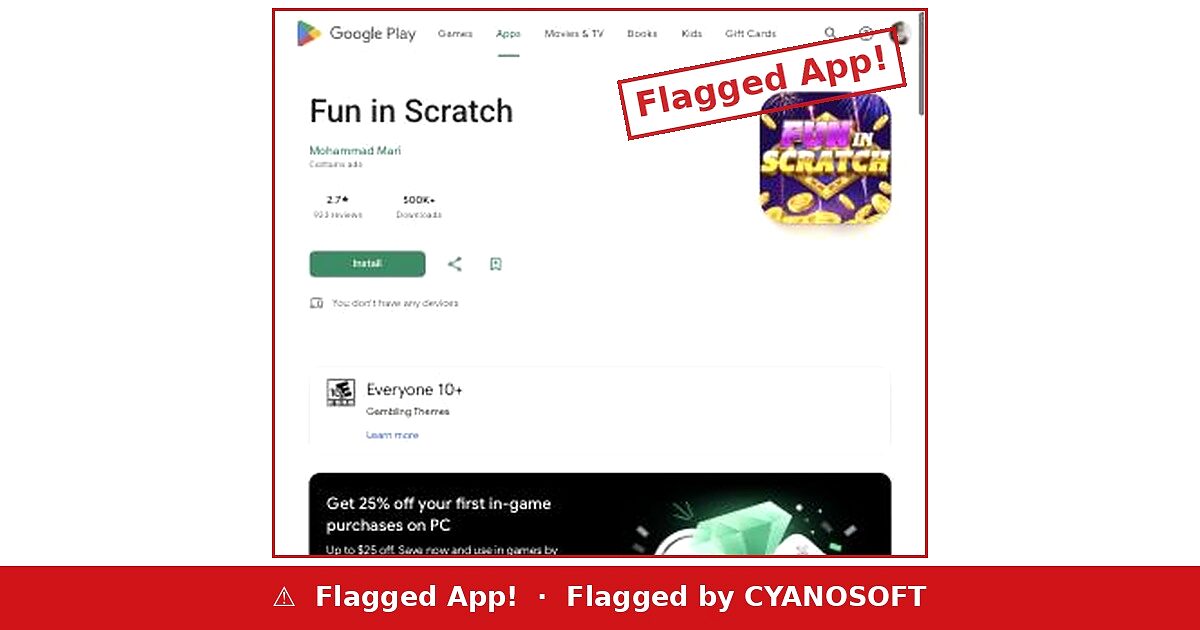
Fun in Scratch is published by Mohammad Mari. On the day we checked it showed 2.7 stars from 923 reviews and 500,000+ downloads, with ads. Google rates it Everyone 10+ with Gambling Themes.
What the listing describes
From the store listing
“Collect keys to unlock special Bonus Chests overflowing with rewards… Every scratch card you complete helps energize the Golden Piggy Bank… Spell out JACKPOT by gathering letters… Gather crowns and colorful gems to claim Grand, Major, Minor, and Mini prizes.”
Keys, chests, letters, crowns, gems, a piggy bank. Six separate collection mechanics, and not one sentence in the description explaining how any of it converts into money, what the threshold is, or how long payment takes.
Those details only appear once you are deep enough to want them.
Two gates, stacked
Marshia Terry, 22 November 2025, 43 people found it helpful:
What the cash-out actually requires
“I like the game. But when you go to cash out, you have to wait 7 days, and then they want you to get all of the collection of 36, and it takes forever and a lot of doubles or more. I was hoping that it wouldn’t be like the other games around, but it is.”
Two conditions, and they work in different ways. The seven-day wait is simply time. The 36-piece collection is the real barrier, because completion is controlled entirely by the app — it decides which piece you are given, and it can go on handing you duplicates indefinitely.
That is the mechanic in a sentence: the last item is not rare by accident. It is rare because the payout is on the other side of it.
The user stuck on the final piece
Jati Jelaping, 24 December 2025. 58 people found this helpful — the most-endorsed review on the listing, which tells you how many others are in the same position:
“I’m ready to collect all 35 collection items but I’m just having trouble collecting the last one now.”
Thirty-five of thirty-six. He does not sound angry — he sounds close. That feeling is the product.
And if you clear both gates
Alevi Chong, 22 November 2025:
A withdrawal that will not finish
“About the 7-day withdrawal issue. I tried to withdraw on November 2025. However, as of today, November 22, 2025, my money is still showing as ‘verifying’. So I don’t know if this game is real or fake.”
“Verifying” is a useful word for an operator. It is not a refusal, so there is nothing to appeal. It is not a failure, so there is no error to report. It simply sits there, and the balance stays inside the app while it does.
Note also that he cleared the collection barrier and is still not paid. The 36 pieces were not the last hurdle.
Why this shape keeps appearing
Every app in this series ends at the same place by a different route. The threshold triples in Scratch And Win — 2025. The balance vanishes at the limit in Spin To Win Earn Money. The payout errors forever in Scratch Cash. Here, a set of 36 never completes.
The variety is the point. Each mechanic looks like an ordinary game feature — a collection, a limit, a verification step, a processing delay. None of them looks like a refusal to pay, which is what allows every one of these apps to stay on the store.
What to check before you start collecting
- Find the withdrawal conditions before you play, not after. If the description does not state a threshold and a payout method, assume both are unfavourable.
- A “complete the set” requirement is an open-ended one. The app controls the draw, so it controls whether you ever finish.
- “Verifying” with no deadline is not a status. Give it a date, and treat the balance as lost past it.
- Read the reviews of people who are nearly there. They are more informative than the angry ones — and if several are stuck one item short, that is the design.
If your withdrawal is stuck on “verifying”
Screenshot the status and the date now, and again in a week — an unchanged screen is your evidence. Do not buy anything, watch extra adverts or accept a “speed up” offer to move it along. Check whether the app holds any permission over a payment account and revoke what you can. Report the listing to Google Play using “Flag as inappropriate”, and if money left your account at any stage, report it at IC3.gov — reporting is free, and no legitimate payment verifies indefinitely.